Global shortcut
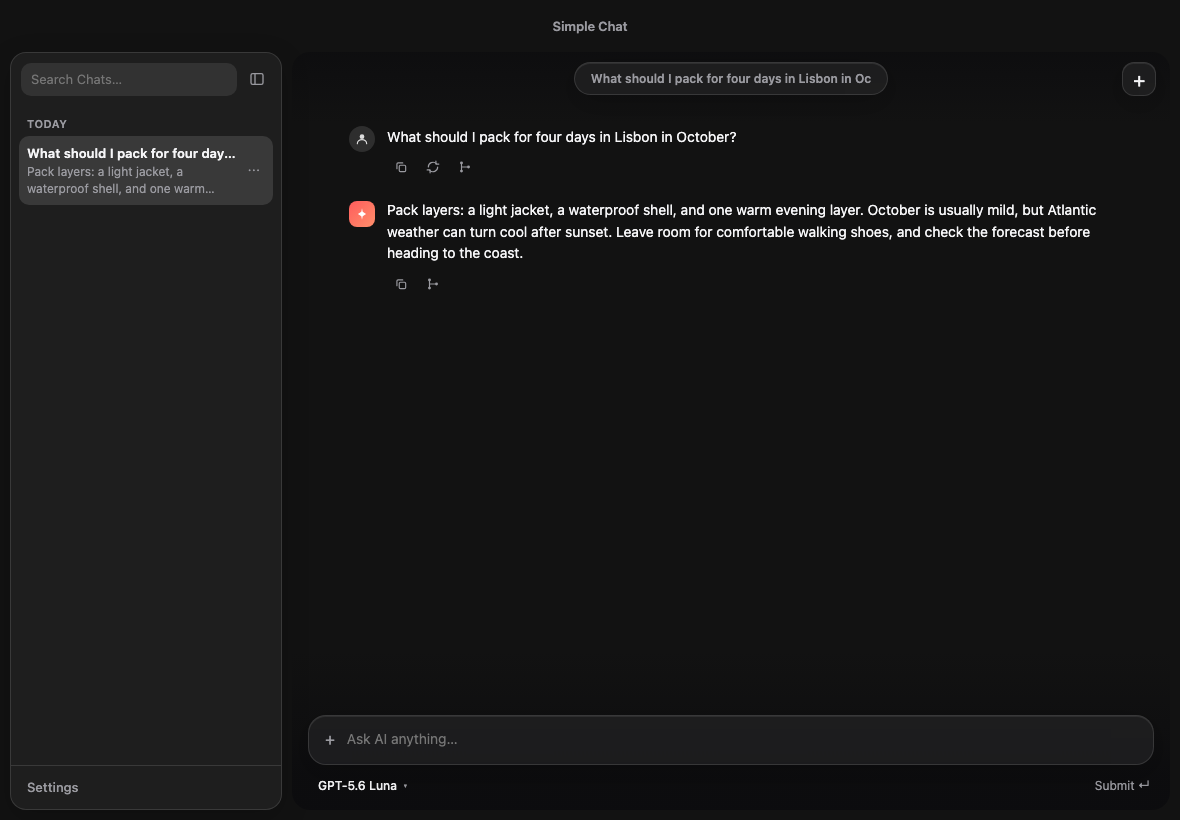
Summon Simple Chat from anywhere, centered on the display under your cursor.
 Simple Chat
macOS · open source · BYOK
Bring your own keys. Keep your chat history on your Mac. Send every prompt directly to the provider you choose.
Simple Chat v1.0.1 · Apple Silicon 5.1 MB · Intel 5.6 MB
Not on a Mac? Prebuilt releases are currently macOS-only. Build from source.
THE DIRECT ROUTE
Simple ChatUI + local SQLite historyNo Simple Chat server sits between you and the model. Prompts still reach the provider whose key you selected.
THE LOOP
No new tab to find. No workspace to configure. The app appears where your cursor already is.
Simple Chat appears over the display under your cursor.
Choose a model backed by one of your saved provider keys.
Watch the response in the focused app, then hide it when you are done.
Return to recent local history or start clean with one keystroke.
BUILT FOR THE GAP
Summon Simple Chat from anywhere, centered on the display under your cursor.
Connect OpenAI, Anthropic, or Google with keys saved in your operating system keychain.
Chats live in SQLite on your Mac. There is no Simple Chat account or history service.
Resume your recent conversation or start a fresh thread without opening a browser.
Attach images for vision models and use provider-native web search when available.
Choose from models your saved keys can use, or enter a custom model ID.
WHY SIMPLE CHAT
Launchers, assistants, and chat products often bundle accounts, subscriptions, or a long list of workspaces. Simple Chat keeps the useful part: summon a model, ask, and return to your work.
READY WHEN YOU ARE
Choose your Mac architecture. No installer account, no bundled provider key, no subscription.
THE SHORT ANSWERS
More detail lives in the README.
No. There is no account, subscription, or Simple Chat backend. Add an API key for the provider you want to use.
Nothing. Simple Chat itself is free. You pay only your model provider, on your own keys.
Your chat history is stored in a local SQLite database on your Mac. Prompts and responses are sent to the provider you select.
The interface and history work locally. Calling a model or using web search requires a network connection.
Not yet. Prebuilt DMGs are available for Apple Silicon and Intel Macs. Other systems can build the project from source.